Meet Us at CES 2027 | Jan 6-9
Book a meeting

En
The channel change is probably the single most-used gesture in live television. People do it without looking, like it is a reflex act, dozens of times a sitting, on hardware they have held the same way for twenty years. And in most TV experiences, it has barely changed in that time: press a button, wait, watch a black screen, land somewhere, repeat. As innate and natural as breathing.
That gap is worth pausing on, because of where the industry's attention has gone. Most product investment over the last decade has flowed to video on demand: better catalogues, richer artwork, smarter recommendations. The result is that the on-demand experience feels modern, while the live experience often feels like a relic sitting next to it.
The channel change is exactly one of those things. So we rebuilt it.
What Channel Zapping 3.0 actually changes
Channel Zapping 3.0 is a performance-optimized channel-switching experience for live TV that works intuitively across STB and any Smart TV. The headline is speed, and it works on two fronts.
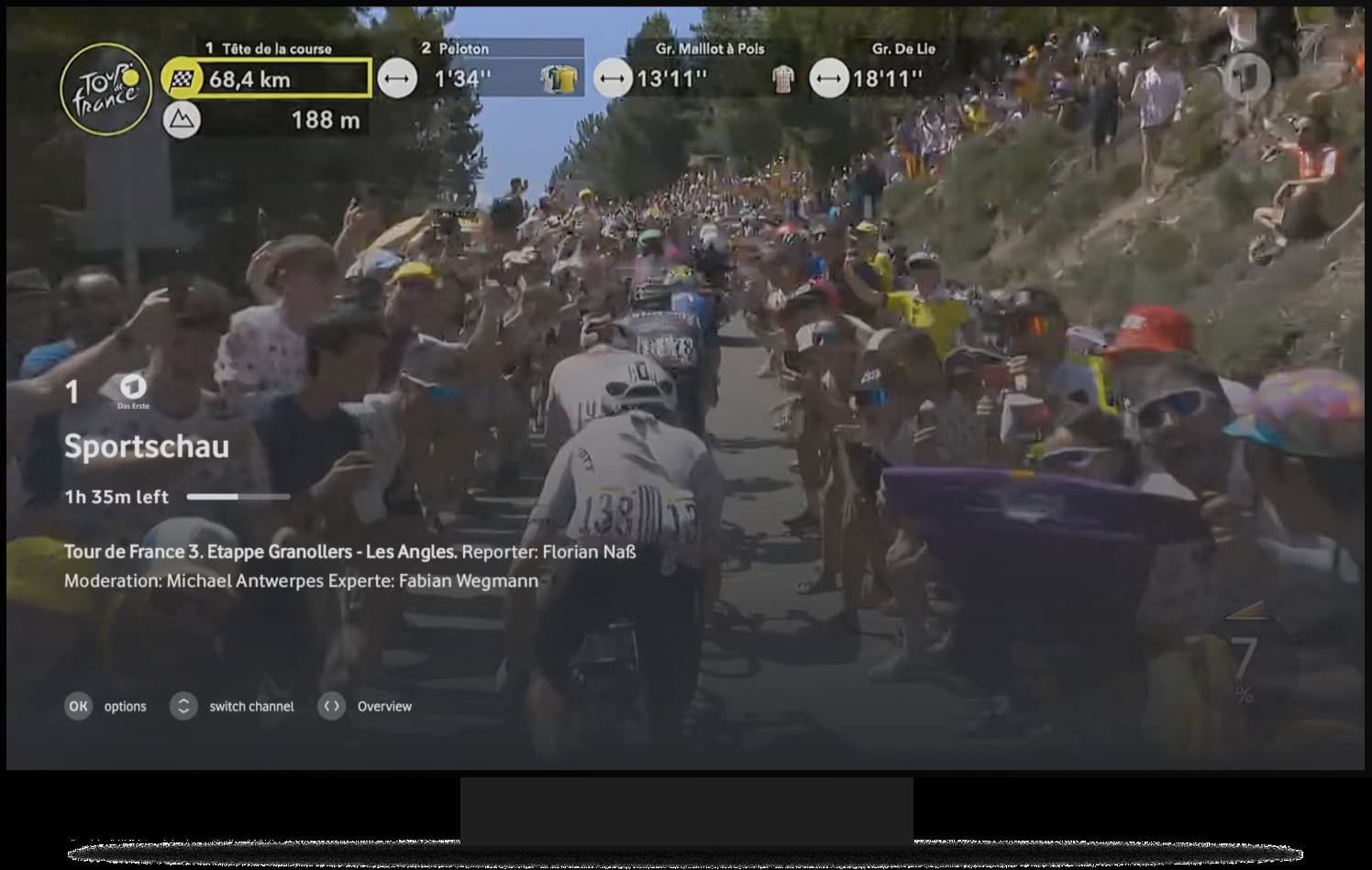
The first is actual switching time: changing channel is significantly faster, so the time between user input and signal change shrinks. This is achieved by instant UI responsiveness before user even releases the finger from the keys leading up to 50% faster perceived channel change. Now it feels like the zapping UI is in real-time sync with the remote control making it fast, fluid and fun to use.
The second is perceived speed, which matters just as much. Backend tune time cannot always be optimized away, so the redesign changes what happens while you wait. Instead of a black screen, short programme descriptions and live progress appear the moment you land on a channel, so you can see what you are switching to and decide whether it is worth waiting for the tune. The viewer stays engaged and in control rather than stuck, which makes the experience feel faster even where the underlying switch time is fixed.
The redesign also makes any remote more useful again. Alongside the familiar up and down zap, it supports if keys available the number pad and the channel plus and minus keys, so viewers who have always typed "1, 0, 1" to reach a channel can keep doing exactly that. And for viewers new to live TV, in-context hints explain how to zap and how to enter the player related functionality, turning a blank first session into a guided one.
Why this matters commercially, not just cosmetically
There is a clean business case underneath the polish. The first is retention. Classic live-TV viewers are a real and valuable audience, and they are the ones most exposed when a live experience feels dated next to streaming apps. A faster, clearer zap keeps that audience comfortable in the experience rather than drifting out of it.
The second is onboarding. The in-context hints address a quiet source of churn: viewers who never learn what the experience can do. Helping someone succeed in their first live session is cheaper than winning them back later.
The third is monetisation. Channel Zapping 3.0 supports seamless upsell configurable in Control Center. When a viewer zaps to a channel they are not subscribed to, that moment becomes an opportunity rather than a dead end where we. offer seamless in-app subscription options or alternative QR code upsell flow for live tv or barker channels.
The point
Rethinking the zap is that half of the story. It is a small idea with an honest claim behind it: the difference between an experience people tolerate and one they would miss is built in the details they touch the most. That is the experience that sets you apart.
Meet us at IBC 2026. Experience Channel Zapping 3.0 and the rest of the 3Ready platform live, and talk to the team.




.jpg)